Create an ISO File

How to Create an ISO File

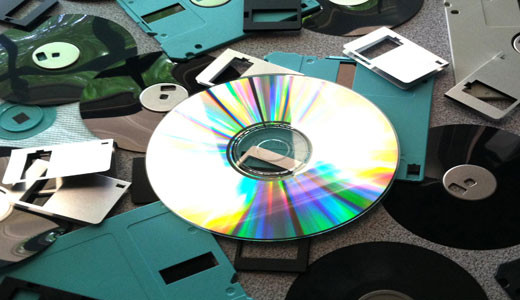
An ISO file or ISO image, depending on which term you prefer to use is an archive file typically made from an optical disc, although it can be made from files and folders on your hard drive. ISO files in most cases have the .ISO file extension, which was taken from the old ISO 9660 file system that was used for the original CD-ROM media. Despite being named after that old file system, these files use a variety of file systems to package data.
Your Hard Drive

How to Copy Your Hard Drive

So, you would like to know how to copy your hard drive? Well, there are several methods that you can use to accomplish this task, all of which entails you copying every last segment of your hard drive, which you can then transfer to another hard drive. Copying the contents of your hard drive is an activity that must be carried out at least once, by every computer user out there.

Wipe Hard Drive

How to Wipe Your Hard Drive

Did you know that, when you erase files through the Recycle Bin, that it hasn’t really been deleted, that it’s possible for these files to be retrieved? Not being familiar with how to wipe your hard drive, shouldn’t deter you from being aware of how the process works. Computer security is ever more important for both individuals and business users, nowadays.

Duplicate Files

How to Delete Duplicate Files

The vast majority of us spend our time online downloading files. We spend a considerable amount of time downloading applications, songs, movies and pictures. It’s only after, maybe, months of downloading that we begin to notice our hard drives filling up, as our drives report, less and less free space – the result of reckless downloading. The drawbacks of having a filled up hard drive are numerous, with fragmentation being an issue in addition to severe degradation to system performance.

Protect Files

How to Protect Files on Your Computer

We store more and more files onto our computers as each day passes. Most of these files are only relevant for a given time period, whereas others remain valuable over a considerable length of time. For our more important files, we may want to implement measures that ensure their safety, this is when knowing how to protect files on your computer becomes handy.

Back Up Files

How to Back Up Files

There are so many PC users out there that are worried about losing data as a result of a virus infection, but very few of these individuals bother to back up the files on their system. What many people fail to realise is that backing up your system is one facet of protecting your system from malicious attacks, whether it be viruses, malware or spyware.

Speed Up uTorrent

How to Speed Up uTorrent

Currently, as it stands, uTorrent is the most sought after BitTorrent client software around. Its main appeal has to do with its lightweight nature, as it allows computer users to be able to run it without it having any real toll on system performance. Its increase in popularity has adversely affected its competitors, which is understandable and deservedly so.

Port Forwarding

How to Setup Port Forwarding

Porting forwarding, which is also referred to as port mapping is a technique that is made up of the following: The destination of a packet (data) is translated to a specific port number. These packet(s) are then taken through a filter (firewall). Then forwarded to their predetermined destination using the routing table.

1 9 10 11 12 13