Computer Speakers Not Working – What To Do

For the most part, when people use their computers, they tend to focus primarily on the visuals, but the aural aspects of it are just as important, even if we initially don’t think about it. It’s only when the sound stops working that there is this sudden recognition, whether it’s while playing a game or writing a document. Half of our computer experience evaporating is easily noticeable.

Repairing Audiodg.exe High CPU Usage

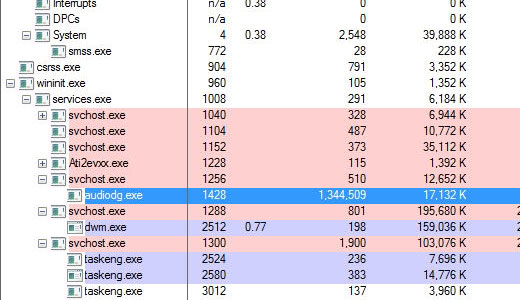
Audiodg.exe is a Windows audio component found on both Windows Vista and Windows 7 based systems. In Task Manager it’s the process titled “Audio Device Graph Isolation”. The purpose of this process is to enable the PC audio drivers to work under a separate session than the currently signed in user, functioning essentially as the audio engine for the operating system.

Repairing Windows Search Indexer Problems

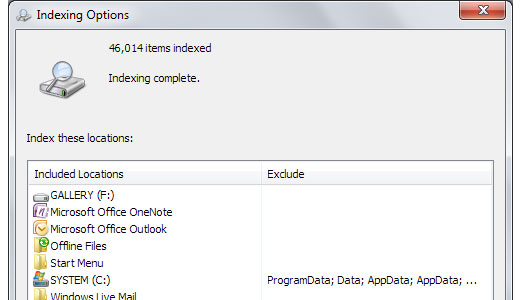
The Microsoft Windows Search Indexer is a component of Windows that indexes in excess of 300 common file types. The purpose of this component is to speed up the process of locating and finding files and documents making Windows Search quicker and more efficient. Every time the user adds a new file or document to their operating system, the index is automatically updated.

WiFi Not Working – What To Do

Over the years I have worked on countless connection issues, whether wired or wireless. In many of these cases, the problem was due to something as simple as a wrong network password, bad wireless signal or a wireless adapter that has been accidently switched off. What tends to perplex most users about connection issues is that, while they occur, everything appears to function as it should.

Microphone Not Working – What To Do?

A common problem that many users face when they attempt to upgrade their Windows operating system from Windows XP/Vista to Windows 7/8 is their microphone not working. If you are a Windows user and are facing issues with your microphone, then this article was made for you. In fact, the vast majority of the solutions outlined below should work on all versions of Windows.

Windows Explorer Has Stopped Working – How to Fix It

Folders are an integral component of the operating system, as they enable us to save and categorise our favourite pictures, movies and personal documents. However, in order for us to do this, we need a graphic user interface to interact with a file management system. The most common file management system is Windows Explorer, as it comes as standard with Microsoft Windows.

How to Fix Monitor Flickering

The monitor is undoubtedly one of the most important components of the computer system, as it’s the device that allows the user to interface with their computers. Monitor flickering can be an issue on both CRT and LCD monitors, but more so on CRT screens, as technically flat panel screens do not flicker. When a monitor flickers uncontrollably, it can adversely affect your ability to see and also cause headaches.

COM Surrogate Has Stopped Working – How to Fix It

While using your Windows based system, it’s not uncommon for you to encounter various issues and errors that may not be directly related to the operating system but third party applications, drivers and devices connected to it. One error you might have encountered (if you are on this page) is the COM Surrogate Has Stopped Working, on your Windows based system. So what is this error, why does it occur, and what can you do to fix it?

1 2 3 4 6