Fixing Vcruntime140.dll Is Missing Errors
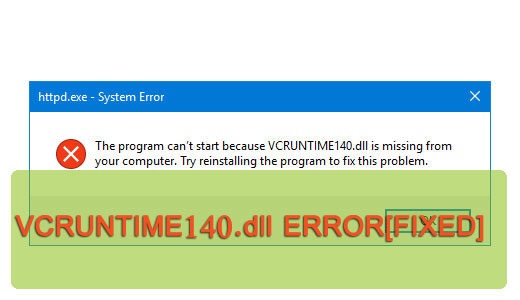
Many end users report encountering the following error message: “The program can’t start because VCRUNTIME140.dll is missing from your computer.” when attempting to launch a specific application.


Many end users report encountering the following error message: “The program can’t start because VCRUNTIME140.dll is missing from your computer.” when attempting to launch a specific application.

Dxgmms2.sys is a system file that’s associated with Windows graphics rendering. That aside, dxgmms2.sys has been, in many instances the culprit of a number of blue screen errors. The actual cause of the error varies from hard drive issues, to system RAM, to incompatibility and corrupted drivers.

Contents What Is Hiberfil.sys? Can You Remove It? Should You Delete It? How Do You Remove It Disable Hibernation Disable in Win 10, 8, 7 & Vista Enable Hibernation Mode Disable via Registry Disable in Win XP If you’re hard drive is fairly low on free space, then you’ve probably looked at a number of […]

ACS is an acronym for Atheros Configuration Service (ACS.exe). It acts as an integral aspect of the driver set for your USB adaptors and WLAN cards, providing wireless interconnectivity for your system – whether it be a laptop or desktop unit. The ACS program is launched by the ACS.exe file.

Msnp32.dll is an integral component of the Windows operating system, belonging to the Microsoft Networks function. Essentially, it’s one of the files that allows your system to create and/or join a Microsoft network. Errors associated with the Msnp32.dll file, typically occur on older versions of Windows, and usually appear while the system is starting up.

Shdocvw.dll errors are typically caused by issues related to either the corruption or removal of the file itself. Shdocvw.dll is the Shell Doc Object and Control Library, also known as Microsoft Internet Controls, it’s job is to provide the user interface for Internet Explorer (on older iterations of Windows), as well as other areas of the OS.

Error 0xc0000006 (STATUS_IN_PAGE_ERROR) in many instances occurs when an end user attempts to open or run an application within a network volume. Errors like this, are ever so common with Microsoft Windows. Fortunately, for all the various issues plaguing this age old operating system, there are equally as many solutions to fix these problems. All of which, will be outlined in this post.

Contents .NET Framework Error Causes How to Fix It Repair Install Use Windows Features Use DISM Install via DotNET Run Repair Tool Error 0x800F0950 occurs, mostly on Windows 10 but also on Windows 8 and earlier, and the preview addition of Windows 11, when the end user attempts to install .NET Framework 3.5, using the […]