Intel Wireless AC 9560 Not Working? – Solutions Here!

Sometime in the past, there was a Windows Update that resulted in a significant number of end users being unable to access the web via Wi-Fi. The Wi-Fi symbol in the Taskbar had just disappeared. Later it was discovered that it was as a result of the Intel Wireless AC 9560 not working, with the OS displaying an error code 10 in Device Manager.

How to Fix INTERNAL_POWER_ERROR Errors

INTERNAL_POWER_ERROR is just one of many Blue Screen of Death (BSOD) errors you may encounter while using your Windows based system. These errors appear unexpectedly and halt your Windows experience, forcing you to restart to regain access to your computer. A BSOD error indicates a critical issue, and occurs, to protect your system from any potential further damage.

How to Fix KERNEL_MODE_HEAP_CORRUPTION Errors

I guess it’s fair to assume you recently encountered the KERNEL_MODE_HEAP_CORRUPTION error. I’m also going to assume you would like to know what the error is, and how to rectify it. Well, if any of the things I’ve just written resonates with you, then I can say, categorically, “Yes”. First things first, do not worry. This issue is amongst the more common BSOD errors users are likely to encounter.

How to Fix Generic PNP Monitor Issues

If Device Manager identifies your monitor as “Generic PnP Monitor” it means the operating system was/is unable to recognise your exact monitor. For desktop systems, this issue is typically caused by a signal issue between the GPU and the monitor itself. Although the OS misidentifies the monitor, it oftentimes isn’t the result of a driver problem. That said, there are a wide range of things for you to consider, so let’s dive deeper into it.

Fixing DRIVER_IRQL_NOT_LESS_OR_EQUAL Errors

Did you recently encounter a DRIVER_IRQL_NOT_LESS_OR_EQUAL Blue Screen of Death (BSOD) error during the boot up phase of your system? If so, then you need not worry. Yes, it can be daunting, and at times, challenging to overcome, but, throughout this tutorial, we will be discussing exactly what it is, along with verifiable methods you can use to overcome it. To start things off, we will go into greater detail on what this error actually represents.

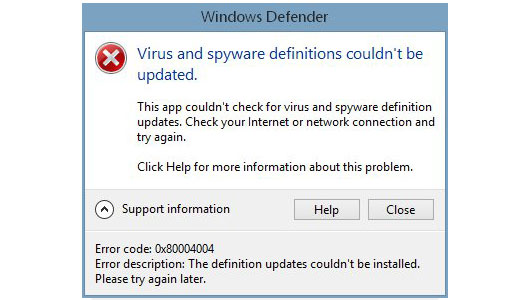
Fixing Windows Defender Error 0x80004004

Windows Defender is an internet security tool developed by Microsoft for their Windows line. Windows Defender has been improved quite considerable in Windows 8 and 10 operating systems, with a host of new characteristics and features. Windows Defender is freeware, designed solely for the purpose of protecting your system from external threats, such as malicious files and hackers.

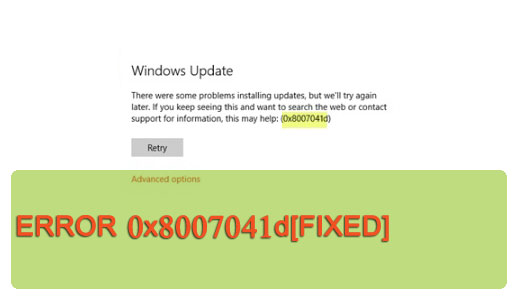
How to Fix Windows Update Error 0x80246007

Are you having problems updating Windows? Does the Windows Update service return error 0x80246007 every time you attempt to use it? What kind of solutions have you used in resolving this issue? If any of this resonates with you, then I suggest you continue reading for my answers. In this post I will be discussing essential information on Windows Update error 0x80246007, such as how to tackle it, and why it occurs, and preventative measures, to ensure it doesn’t reoccur in the future.